
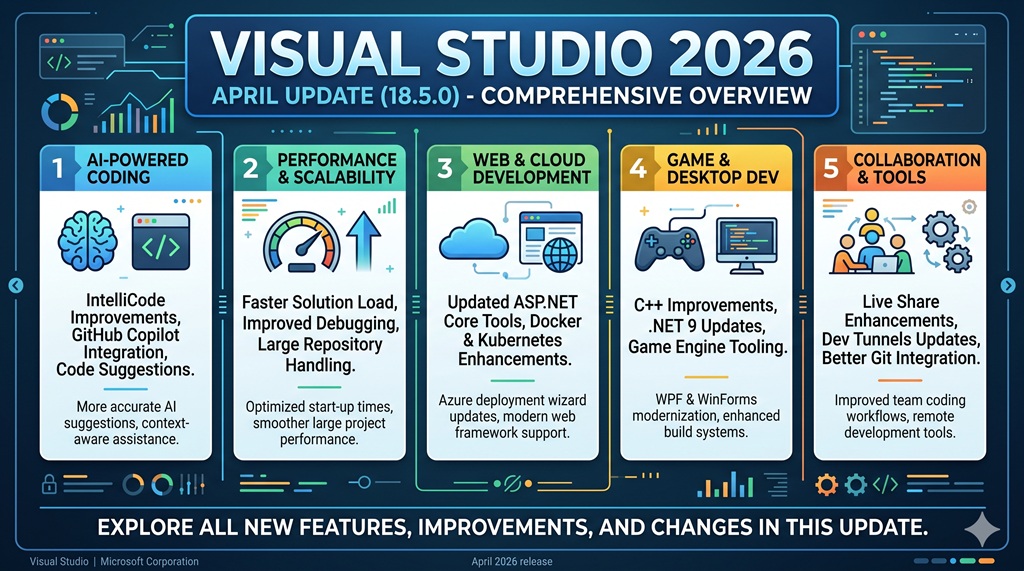

Microsoft has released Visual Studio 2026 April Update (version 18.5.0) on April 14, 2026. This release marks a significant milestone with deep AI integration, stronger fundamentals, and improved performance. In this comprehensive guide, we'll explore all the new features and improvements.
Table of Contents
- What's New in 18.5.0
- GitHub Copilot Enhancements
- Debugger Agent Workflow
- JSON Editor Improvements
- C++ Development Tools
- Productivity Improvements
- Bug Fixes from Community
- Security Updates
- How to Update
What's New in 18.5.0
The April 2026 update brings several groundbreaking features centered around AI integration:
- Agent Skills - Copilot now automatically discovers and uses custom skills
- Cloud Agent Integration - Start cloud agent sessions directly from Visual Studio
- Custom Agents - Build your own specialized AI agents
- Debugger Agent - AI-powered debugging with runtime validation
- IntelliSense Priority - Cleaner code completion experience
- Auto-Decoding - Text Visualizer now auto-detects encoding/compression
GitHub Copilot Enhancements
Agent Skills 🔗
Copilot agents now automatically discover and use skills defined in your repository or user profile. Agent skills are reusable instruction sets that teach agents how to handle specific tasks.
Key Features:
- Automatically discovers skills from your workspace
- Supports workspace and personal skills
- Create skills once, use them everywhere
Skill Locations:
Workspace skills:  .github/skills/, .claude/skills/, .agents/skills/
Personal skills: ~/.copilot/skills/, ~/.claude/skills/, ~/.agents/skills/
How to Create a Skill:
- Create a
.github/skills/directory - Create a subdirectory for your skill (e.g.,
.github/skills/github-issues/) - Create a
SKILL.mdfile following the Agent Skills specification - Optionally add scripts, examples, or resources
📣 Share your feedback on Developer Community
Cloud Agent Integration
Start new cloud agent sessions directly from Visual Studio. Cloud agents run on remote infrastructure for scalable, isolated execution.
How It Works:
- Select Cloud from the agent picker in the Chat window
- Share the work you want help with
- The cloud agent creates an issue in your repository
- It then creates a pull request to address it
- You'll get a notification when the PR is ready
Requirements:
- Must be in a GitHub repository
- Copilot needs permission to create issues
Customizable Copilot Keyboard Shortcuts
You can now customize keyboard shortcuts for accepting Copilot inline suggestions.
Available Commands:
Edit.AcceptSuggestion- Accept full suggestionEdit.AcceptNextWordInSuggestion- Accept next wordEdit.AcceptNextLineInSuggestion- Accept next line
How to Customize:
- Go to Tools → Options → Environment → Keyboard
- Search for the command you want
- Remove existing key binding
- Assign new shortcut under Inline Suggestion Active scope
IntelliSense Takes Priority
Problem Solved: Seeing IntelliSense and Copilot completions simultaneously was distracting.
Solution: The editor now prioritizes IntelliSense and shows only one suggestion at a time.
- When IntelliSense is active, Copilot completions are temporarily suppressed
- After you dismiss or commit the IntelliSense selection, Copilot resumes
- This behavior is enabled by default
New Chat History Panel
The chat history experience has been completely revamped:
- Dedicated panel with chat titles
- Preview of the latest message
- Session timestamp for quick navigation
- Easily find and reopen past conversations
Debugger Agent Workflow
Agentic Issue to Resolution
This is one of the most significant features in Visual Studio 2026 - a new Debugger Agent workflow that validates bugs against real runtime behavior.
The Problem: Traditional debugging is full of friction:
- Manually parsing vague bug reports
- Hunting for the right file
- Spending minutes just trying to reproduce the issue
The Solution: A guided, interactive debugging loop powered by AI.
How the Agentic Loop Works:
Context Injection
- Provide an issue link (GitHub/Azure DevOps) or describe the bug in natural language
- The agent connects the report to your local source code
Autonomous Reproducer
- Agent analyzes the bug description
- Creates a minimal scenario to trigger the failure automatically
Hypothesis & Instrumentation
- Generates failure hypotheses
- Instruments your app with tracepoints and conditional breakpoints
Runtime Validation
- Runs the debug session
- Analyzes live telemetry to isolate the root cause
Targeted Correction
- Suggests a precise fix at the exact failure point
Final Human Validation
- You rerun the scenario
- Confirm the fix in the live environment alongside the agent
Key Benefits:
- Interactive and powered by runtime debugging
- Walks you through a structured, real-time process
- Keeps you "in the zone" with less context switching
JSON Editor Improvements
JSON Schema Updates
The JSON editor now supports newer JSON Schema specifications:
Previously Supported:
- JSON Schema Draft 4
- JSON Schema Draft 7
Now Supported:
- JSON Schema Draft 2019-09
- JSON Schema Draft 2020-12
New Features:
$defssupport$anchorsupport- Improved vocabulary support
- Better IntelliSense and validation
C++ Development Tools
C++ Code Editing Tools for Agent Mode
C++ Code Editing Tools for GitHub Copilot Agent Mode are now generally available by default.
Capabilities:
- Map out class inheritance hierarchies
- Follow function call chains
- Navigate C++ codebase more effectively
How to Use:
- Open a C++ project
- Ensure IntelliSense is configured
- Enable specific tools using the Tools icon in Copilot Chat
💡 For best results, use AI models that support tool-calling
Productivity Improvements
Auto-Decoding in Text Visualizer
Easily decode text with Copilot in the Text Visualizer.
Features:
- Auto-detect and format button
- Automatically identifies encoding/compression format
- Applies transformations in a single click
- Powered by Copilot
Supported Formats:
- GZip-compressed Base64
- Various encoding formats
- No more manual decoding or external tools
Solution Explorer Spacing
Visual Studio 2026 introduced extra spacing between items in Solution Explorer for accessibility. Now you can adjust it:
- Default spacing - Better for mouse users, reduces misclicks
- Compact option - See more items at once
HTML Rich Copy/Cut
Copy and cut code snippets with rich formatting:
- Syntax highlighting maintained
- Works with web versions of Office apps
- Azure DevOps work items support
- HTML-based controls
Location: Tools → Options → Text Editor → Advanced → Copy rich text on copy/cut
Bug Fixes from Community
Top Bug Fixes in 18.5.0
| Issue | Status |
|---|---|
| VS 2026 hangs while unloading projects | Fixed |
| Copilot terminal queued command issues | Fixed |
| ASan suppression not working | Fixed |
| Improved ASan runtime performance | Improved |
From Version 18.4.4
| Issue | Description |
|---|---|
| Copilot chat schema error | Fixed |
| VS crash when project loaded | Fixed |
| Proxy support page | Fixed |
| Credentials refresh issues | Fixed |
| AddressSanitizer Xbox compatibility | Fixed |
Security Updates
Security Advisories Addressed (18.4.4)
| CVE | Vulnerability | Description |
|---|---|---|
| CVE-2026-26171 | .NET DoS | Uncontrolled resource consumption in EncryptedXml |
| CVE-2026-32178 | .NET Spoofing | Improper neutralization of special elements |
| CVE-2025-6965 | SQLite Memory | Aggregate terms exceed column count |
| CVE-2026-32631 | Visual Studio Info Disclosure | NTLM hash leak in MinGit |
How to Update
Via Visual Studio Installer
- Open Visual Studio Installer
- Click Update
- Wait for download and install
Via Visual Studio
- Go to Help → Check for Updates
- Click Update
Command Line
devenv /update
Summary
Visual Studio 2026 April Update (18.5.0) represents a fundamental shift in how developers debug and write code:
- AI-First Debugging: The new Debugger Agent workflow transforms debugging from manual hunting to an interactive, AI-powered process
- Copilot Integration: Agent Skills, custom agents, and cloud agents make AI assistance more powerful and customizable
- Developer Experience: IntelliSense priority, keyboard shortcuts, and chat history improvements address long-standing pain points
- C++ Support: Code editing tools for agent mode now generally available
This release is Microsoft's announcement of "the beginning of a new era for Visual Studio with deep platform integration of AI."
Resources
Article published on April 18, 2026
Comments (0)
Please sign in to leave a comment.